Business Web Applications
Secure, practical browser-based tools for teams and customers — without forcing a store-app path when a web app fits better.
Custom software & apps
This service is scoped and quoted separately from our website packages. Explore custom app, mobile and business software options on our packages page.
View custom software quotesWho it is for
Businesses that need internal tools, admin dashboards, booking/enquiry workflows or role-based portals accessible from a browser.
- Teams need a shared admin dashboard
- Customers need a portal instead of repeated phone calls
- Booking or enquiry workflows need clearer steps and roles
The problem it solves
Important work still happens in email and personal files, so nobody shares a single source of truth.
Examples of solutions we can discuss
These are example capabilities for planning conversations — not a claim that every item is a finished public case study.
- Internal tools for operations and admin
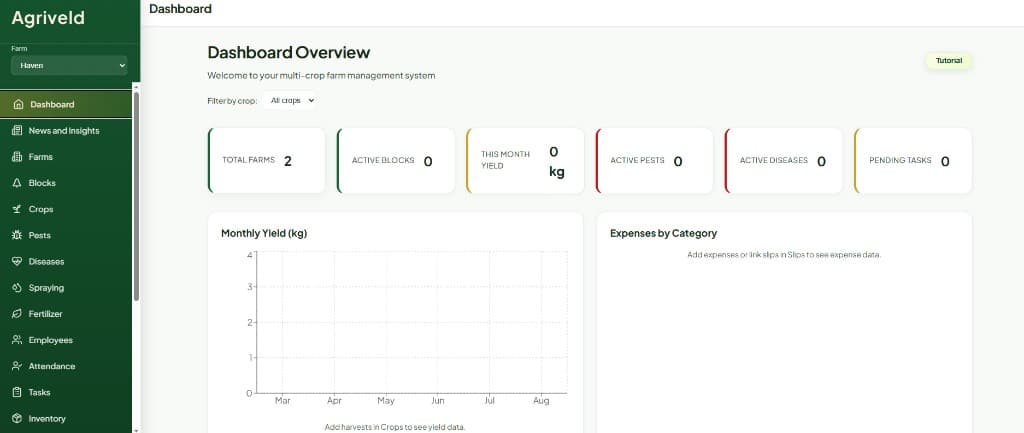
- Admin dashboards for day-to-day oversight
- Booking and enquiry workflows
- Role-based client or staff portals
Deliverables / inclusions
- Scoped screens for the journeys that matter most
- Login and roles when different people need different access
- Mobile-friendly layouts for everyday browser use
- Handover guidance for the people who will run the tool
Exact scope is agreed per project. Lists above describe typical inclusions, not a fixed package promise.
Process
Step 1
Discovery
Clarify goals, users, constraints, and what success looks like for the business.
Step 2
Workflow mapping
Document how work happens today and where time is lost to manual steps.
Step 3
Solution design
Agree a practical scope for a first useful version — not every idea at once.
Step 4
Build
Develop in stages with review points so the system stays aligned to real use.
Step 5
Testing
Check key journeys, access roles, and edge cases before go-live.
Step 6
Launch & support
Hand over with guidance, then agree how further improvements are handled.
Data, privacy and ownership
Security, hosting, access controls, backups, data migration and ownership are scoped to each project. Arrangements are agreed in writing for that build — we do not claim a single certification or compliance outcome for every system.
Relevant work
FAQs
What is a business web application?
A browser-based tool your team or customers sign into to complete ongoing work — not a public marketing page.
Do users need to install anything?
Usually no. Web applications run in a modern browser on desktop or mobile, which keeps rollout simpler for many teams.
Can customers and staff see different things?
Yes. Role-based access is planned during design so each group only sees what they need.
How is this different from mobile application development?
Web applications prioritise browser access. Mobile application work focuses on on-the-go or field workflows — we help you choose based on how people work.
What support is available after launch?
Support and further changes are agreed per project so expectations stay clear.
Related services
Areas we serve
Lowveld Web discusses business web applications projects with businesses in Nelspruit / Mbombela, White River, Sabie, Graskop, Barberton and Hazyview.
View all Lowveld service areasDiscuss your software project
Describe the browser-based tool your team or customers need.